Universal Remotes
Best Universal Remote for Home Theater
We research every product against its spec sheet and independent measurements. When you buy through our links we may earn a commission, at no cost to you. How we score · Disclosure
The best universal remote for home theater turns a TV, AV receiver, streamer and disc player into one button press: "Watch Movie" powers everything on, picks the right inputs and hands volume to the receiver. This guide is for anyone juggling three or more remotes, or anyone who lost their Logitech Harmony and wants a replacement.
Our top pick is the SofaBaton X1S, a hub-based remote that controls infrared and Bluetooth gear, works through closed cabinet doors and supports Alexa and Google Assistant. If you want SofaBaton's newer flagship, the SofaBaton X2 is the upgrade; for simple setups, the GE 4-Device remote costs very little.
Our top picks at a glance


Quick answer
The best universal remote for home theater is the SofaBaton X1S for most people: its Wi-Fi hub blasts infrared and pairs with Bluetooth devices, so it controls gear in cabinets and Bluetooth-only streamers, with one-touch activities. The SofaBaton U2 is the best hubless option for line-of-sight setups, and the GE 4-Device remote is the budget pick for a TV, receiver and two sources.
On this page
- 1. How to Choose the Best Universal Remote for Home Theater
- 2. The Best Universal Remotes for Home Theater
- 3. Universal Remote for Home Theater Side by Side
- 4. How We Chose These Remotes
- 5. IR vs RF vs Bluetooth vs Wi-Fi
- 6. Hub vs Hubless Remotes
- 7. Activities, Macros and HDMI-CEC
- 8. Remote Apps and Voice Control
- 9. Is a Logitech Harmony Still Worth Buying?
- 10. Who Should Buy a Universal Remote and Who Can Skip It
- 11. Common Mistakes to Avoid
- 12. Frequently Asked Questions
1. How to Choose the Best Universal Remote for Home Theater
Start by listing every device you control and how each one listens. That list decides the remote.
- Count devices. A typical system has a TV or projector, an AV receiver, one or two streamers, a disc player and maybe a console. That is five or six devices, which rules out remotes with only three or four device slots if you want everything on one remote.
- Check control methods. Most TVs, receivers and disc players use infrared (IR). Many streaming sticks and consoles use Bluetooth or Wi-Fi only. A remote without Bluetooth cannot control those directly.
- Check where gear lives. IR needs line of sight. Equipment behind solid cabinet doors needs a hub (which sits by the gear) or an IR repeater.
- Decide if you want activities. Activity remotes turn on multiple devices and set inputs with one button. Device-by-device remotes are cheaper but slower to use.
If a remote ticks all four boxes for your system, everything else (screen, backlight, voice) is a bonus.
2. The Best Universal Remotes for Home Theater

1. SofaBaton X1S Universal Remote
$130–$180 · Best for: Mid-size home theaters that want hub-based control without flagship pricing
- Devices
- Large device library; multi-device activities
- Control
- IR, Bluetooth and Wi-Fi (via hub)
- Hub
- Yes
- Voice
- Alexa and Google Assistant via hub
The X1S is the closest thing to a modern Logitech Harmony Hub at a sensible price, which is why it is our top pick. The remote talks to a small hub that you place near your equipment. The hub sends infrared to the TV, receiver and disc player and pairs over Bluetooth with devices that ignore IR, which covers many streaming boxes.
That architecture solves the two classic home theater remote problems. Gear inside a closed cabinet still responds, because the hub sits in or near the cabinet rather than relying on line of sight. And Bluetooth-only devices can live in the same activity as IR gear, instead of needing their own remote.
Setup runs through the SofaBaton app on your phone, where you add devices from a code database and build activities: "Watch Apple TV" turns on the projector, receiver and streamer, selects inputs and maps volume to the receiver. Through the hub it also works with Alexa and Google Assistant for voice commands.
The trade-off is that you are relying on the hub and the app: the hub needs power and a spot near your gear, and setup changes, voice control and phone control depend on your Wi-Fi. Compared with the SofaBaton X2, the X1S is the better value; compared with the hubless U2, it is far more capable in cabinet setups.
Pros
- Hub controls IR, Bluetooth and Wi-Fi devices
- Activity-based control for multi-device setups
- Alexa and Google Assistant support
- Good value for a hub remote
Cons
- App setup takes patience
- Hub needs line of sight to IR gear or an extender
- Less premium feel than the X2

2. SofaBaton X2 Universal Remote
$170–$230 · Best for: Complex home theaters with gear in cabinets and Bluetooth devices like Fire TV or PlayStation
- Devices
- Large device library; multi-device activities
- Control
- IR, Bluetooth and Wi-Fi (via hub)
- Hub
- Yes
- Voice
- Alexa and Google Assistant via hub
The X2 is SofaBaton's newer flagship, and it keeps the hub-based design that makes the X1S work so well: a hub near your gear handles infrared and Bluetooth control, the remote talks to the hub, and the app builds activities. If you want the latest SofaBaton hardware and plan to keep it for years, this is the one to buy.
Who it suits: larger systems with a projector, AV receiver, several streamers, a game console and smart lights, where the remote becomes the control center for the whole room. Hub remotes also make it easy to tie in room lighting through Alexa or Google routines, so "Movie Time" can dim lights as the projector warms up.
The trade-off is cost. The X1S already handles the jobs most home theaters need, so the X2 makes sense mainly if you value the newer design, or if the price gap is small when you buy. Compare the current listings for device count, button layout and battery type before you choose, because those details are what separate the two.
Compared with the X1S above, the X2 is the premium choice; compared with the discontinued Logitech Harmony 665, it offers hub control, Bluetooth and a phone app the Harmony never had.
Pros
- Hub controls IR, Bluetooth and Wi-Fi devices
- No line of sight needed; works with gear in cabinets
- One-press activities for multi-device setups
- Alexa and Google Assistant integration
Cons
- App setup has a learning curve for complex activities
- Costs much more than code-based remotes
- Hub needs power and a spot near your gear

3. SofaBaton U2 Universal Remote
$40–$60 · Best for: Small setups with gear in view, including a Bluetooth streaming stick
- Devices
- Up to 15
- Control
- IR and Bluetooth
- Hub
- No
- Voice
- No
The U2 is for people who want one smart remote without a hub. It controls devices directly using infrared and Bluetooth, and SofaBaton quotes support for up to 15 devices, more than any normal home theater needs. Setup runs through the SofaBaton app on your phone, so you search a device database instead of punching in codes.
It suits living-room setups where the TV, receiver and streamer sit in an open stand in line of sight. There is no hub to place, no Wi-Fi to configure and nothing extra to plug in. It also handles activity-style switching, so one button can move between "TV" and "Movie" setups.
The trade-off is line of sight. Infrared from the remote itself will not reach gear behind closed solid cabinet doors, and the U2 has no hub-based voice assistant control. If your receiver lives in a closet or an enclosed rack, the X1S is the better buy.
Compared with the GE 4-Device remote, the U2 costs more but adds Bluetooth control, app setup and activities instead of punching in codes for each device. For an open-shelf system with a Bluetooth streamer, it is the sweet spot.
Pros
- App setup instead of code entry
- Controls up to 15 devices
- IR and Bluetooth control
- Affordable
Cons
- No hub, so IR needs line of sight
- Activities less reliable than hub remotes
- Button feel is basic

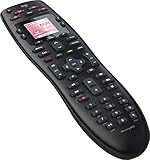
4. Logitech Harmony 665
$40–$90 · Best for: Harmony fans replacing a broken 665 with the same layout
- Devices
- Up to 10
- Control
- IR only
- Hub
- No
- Voice
- No
For years, the answer to "best universal remote for home theater" was simply "a Harmony." Logitech stopped making Harmony remotes in 2021, though it said it would keep supporting existing remotes and its setup software. The Harmony 665 is still worth knowing about because new-old stock and lightly used units still circulate, and its activity system remains excellent.
The 665 controls up to 10 devices over infrared, and its activity-based design is the model every competitor copied: press "Watch a Movie" and it turns on each device, sets inputs and routes volume, with a Help button that resends commands if something did not switch. Setup uses Logitech's MyHarmony software on a computer.
The trade-offs are significant. There is no hub, so cabinet gear and Bluetooth-only devices are out of reach. Setup depends on Logitech's continued support, and no new hardware is coming. Buy one only at a fair price, and only if your system is all IR gear in line of sight.
If you already own a working Harmony, keep using it. If you are buying new, the hubless SofaBaton U2 covers the same open-shelf job with Bluetooth and an app, and the X1S replaces the old Harmony Hub models.
Pros
- One-press activities for up to 10 devices
- Comfortable, well-laid-out buttons
- Long battery life on AA cells
- Familiar to existing Harmony users
Cons
- Discontinued; software support is winding down
- IR only, no Bluetooth control
- Needs line of sight to equipment

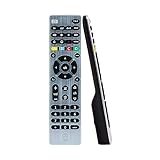
5. GE Universal Remote 4-Device
$10–$20 · Best for: Replacing a lost remote or controlling a simple TV setup cheaply
- Devices
- 4
- Control
- IR (code entry or auto-search)
- Hub
- No
- Voice
- No
The GE 4-Device Universal Remote is the no-frills choice: a simple infrared remote that controls four devices, set up by entering codes from the included list or using auto code search. It runs on two AAA batteries and needs no app, account or Wi-Fi.
It suits a basic system with a TV, a soundbar or receiver, a cable box and a disc player, or a spare remote for a bedroom TV. Four device buttons cover most simple setups, and the big, plain button layout is easy for guests and older relatives.
The trade-off is that it is a device-by-device remote, not an activity remote. You press the TV button to control the TV and the AUD button to change receiver volume, rather than one "Watch Movie" button doing everything. It cannot control Bluetooth-only streamers, and many advanced functions on modern receivers and streamers will not be mapped.
Compared with the SofaBaton U2, the GE costs a fraction as much but lacks activities, Bluetooth and app setup. If your goal is just one remote for a TV and a receiver, the GE does it. If you want the "one button" home theater experience, spend more on a SofaBaton.
Pros
- Very cheap
- Simple setup with code entry or auto-search
- Easy, uncluttered buttons
- Long battery life
Cons
- Only four devices
- No activities, app or Bluetooth
- Newer devices may only get basic functions
3. Universal Remote for Home Theater Side by Side
| Product | Score | Price | Devices | Control | Hub | Voice | Buy |
|---|---|---|---|---|---|---|---|
| SofaBaton X1S Universal Remote Best Overall | 80 | $130–$180 | Large device library; multi-device activities | IR, Bluetooth and Wi-Fi (via hub) | Yes | Alexa and Google Assistant via hub | Amazon → |
| SofaBaton X2 Universal Remote Best Upgrade | 84 | $170–$230 | Large device library; multi-device activities | IR, Bluetooth and Wi-Fi (via hub) | Yes | Alexa and Google Assistant via hub | Amazon → |
| SofaBaton U2 Universal Remote Best Hubless Remote | 68 | $40–$60 | Up to 15 | IR and Bluetooth | No | No | Amazon → |
| Logitech Harmony 665 Best Legacy Harmony Pick | 58 | $40–$90 | Up to 10 | IR only | No | No | Amazon → |
| GE Universal Remote 4-Device Best Budget | 50 | $10–$20 | 4 | IR (code entry or auto-search) | No | No | Amazon → |
4. How We Chose These Remotes
We have not run these remotes through a lab. Picks were chosen on the spec sheet and owner reports: supported device count, control methods (IR, Bluetooth, Wi-Fi), whether a hub is included, activity and macro support, app quality, voice assistant integration and long-term reliability. We also weighed availability, which is why the Logitech Harmony 665 appears as a legacy pick rather than a main recommendation after Logitech ended Harmony production.
5. IR vs RF vs Bluetooth vs Wi-Fi
The phrase "RF remote" causes confusion, so here is what each method means for a home theater:
| Method | Range and line of sight | Typical devices | Notes |
|---|---|---|---|
| Infrared (IR) | Line of sight, within the room | TVs, AV receivers, projectors, disc players | Universal, cheap, blocked by cabinet doors |
| RF (radio) | Through doors and walls | Older Harmony hubs, pro control systems | Needs a receiver or hub that converts to IR |
| Bluetooth | Through doors, short range | Many streaming boxes, some consoles | Remote or hub must pair with each device |
| Wi-Fi / IP | Anywhere on your network | Smart TVs, streamers, smart lights | Usually via a hub or app |
For most people, an RF remote today in practice means a hub remote: the handset talks to the hub by radio, and the hub sends IR and Bluetooth to the gear. That is how the SofaBaton X1S and X2 work.
6. Hub vs Hubless Remotes
A hub remote (SofaBaton X1S, X2) puts the "brain" in a small box near your equipment. Pros: works through closed cabinet doors, controls Bluetooth and IR devices, and adds voice assistant and app control. Cons: one more box to place and power, and app features rely on Wi-Fi.
A hubless remote (SofaBaton U2, Harmony 665, GE) sends commands from the handset itself. Pros: simpler, nothing to plug in. Cons: needs line of sight for IR, and controlling Bluetooth devices depends on the remote's own pairing capacity.
A quick rule: if any equipment sits behind solid doors or in another room, buy a hub remote. If everything sits on an open stand facing the couch, a hubless remote is enough.
7. Activities, Macros and HDMI-CEC
Activities are why people buy universal remotes. A good "Watch Movie" activity powers on the projector, AV receiver and streamer, sets the receiver to the right input, and maps volume buttons to the receiver and navigation to the streamer. Pressing "Off" shuts everything down.
HDMI-CEC can do some of this for free. With CEC enabled, turning on a streamer can wake the TV and receiver and switch inputs, and the TV remote can control receiver volume over eARC. The catch is that CEC behaves differently across brands and sometimes turns things on when you do not want them. Many people use CEC for volume over eARC and a universal remote for everything else.
Tips for reliable activities:
- Use discrete power and input codes where available, not toggles, so devices cannot get out of sync.
- Add short delays for projectors and receivers that take a few seconds to boot.
- Keep the remote pointed at the hub or gear until an activity finishes.
8. Remote Apps and Voice Control
If you searched for the best home theater remote app, you have options before you buy hardware:
- Streamer apps (Roku, Google TV, Apple TV remote in iOS Control Center) control their own box and sometimes TV volume via CEC.
- AV receiver apps from Denon, Marantz, Yamaha and Sony control inputs, volume and sound modes over your network. See our home theater receiver guide for models with strong apps.
- SofaBaton's app controls hub-based activities from your phone, which is handy when the physical remote is lost in the couch.
Voice control through Alexa or Google Assistant works with hub remotes like the X1S, so "Alexa, turn on movie" can run an activity. It is convenient, but most people still reach for buttons during a film, so treat voice as a bonus.
9. Is a Logitech Harmony Still Worth Buying?
Only in narrow cases. Logitech ended Harmony production in 2021 and stated it would continue supporting existing remotes, but no new hardware is coming and setup depends on Logitech's servers and software. A used or new-old-stock Harmony at a fair price can still be a great IR activity remote. For a new purchase, SofaBaton's hub models are the closest modern replacement for the Harmony Hub family, and the U2 covers the hubless role. High-end alternatives exist through professional installers (Control4, Crestron, URC, Savant), but those systems are installed and programmed by a dealer and priced accordingly.
10. Who Should Buy a Universal Remote and Who Can Skip It
Buy one if you run three or more devices, use a separate AV receiver, keep gear in a cabinet, or share the system with family who get lost switching inputs.
Skip it if your system is a TV plus a soundbar on eARC and one streamer. In that case CEC and the streamer's own remote already give you one-remote control, and a universal remote adds cost and setup time for little gain. A soundbar setup is the simplest home theater to control.
11. Common Mistakes to Avoid
Buying an IR-only remote for a Bluetooth streamer
Many streaming boxes and consoles ignore infrared. Check each device's control method before buying, or choose a remote or hub with Bluetooth.
Using a hubless remote with gear in a closed cabinet
IR cannot pass through solid doors. Either buy a hub remote, add an IR repeater or keep doors open during use.
Building activities with toggle codes
Toggle power and input commands get devices out of sync. Use discrete "on", "off" and input codes wherever the database offers them.
Leaving CEC fighting the remote
HDMI-CEC and a universal remote can both try to switch power and inputs, causing random behavior. Decide which handles what, and disable CEC features you do not use.
12. Frequently Asked Questions
What is the best universal remote for home theater?
The SofaBaton X1S is the best universal remote for most home theaters. Its hub sends infrared and Bluetooth commands, so it controls gear in closed cabinets and Bluetooth-only streamers, and it supports one-button activities and Alexa or Google voice control. The SofaBaton X2 is the upgrade and the U2 is the best hubless option.
What replaced the Logitech Harmony remote?
No single product officially replaced it, but SofaBaton's hub remotes, such as the X1S and X2, are the closest modern alternatives to the Harmony Hub models, with activities, app setup and IR plus Bluetooth control. The hubless SofaBaton U2 fills the role of simpler Harmony remotes like the 665.
Can a universal remote control a soundbar or AV receiver?
Yes. Almost all soundbars and AV receivers accept infrared commands, and universal remotes include codes for major brands. Activity remotes can map their volume buttons to the receiver automatically, so you adjust sound without switching modes. Bluetooth-only soundbars are rare but need a remote or hub with Bluetooth.
Do universal remotes work with Roku, Fire TV and Apple TV?
Usually, but check how each box listens. Apple TV accepts IR commands and can learn remotes. Roku and Fire TV models vary: some respond to IR, while others rely on Wi-Fi or Bluetooth remotes. A hub remote with Bluetooth, like the SofaBaton X1S, covers more of these devices than an IR-only remote.
What is an RF universal remote?
An RF remote uses radio signals instead of infrared, so it works through doors and walls. In home theaters, RF usually means the handset talks to a hub by radio, and the hub then sends infrared or Bluetooth to each device. That lets you control equipment hidden in a cabinet or closet.
Is HDMI-CEC enough instead of a universal remote?
For simple systems, yes. With a TV, a soundbar or receiver on eARC and one streamer, CEC lets one remote handle power and volume. It becomes unreliable with several sources, projectors or mixed brands, and it cannot run full activities. That is where a universal remote earns its place.
How many devices should a home theater remote control?
Plan for at least six. A typical setup has a TV or projector, an AV receiver, one or two streamers, a disc player and a console, plus room for future gear. Four-device remotes suit simple systems; hub remotes and the SofaBaton U2 support far more than most rooms need.
Related Guides
Guides
Best Home Theater Setup Components
Best home theater setup components, the right configuration for your room, Dolby speaker placement angles, subwoofer placement and step-by-step calibration.
AV Receivers
Best Home Theater Receiver
The best home theater receiver for 5.1, 7.2 and Dolby Atmos rooms, ranked on real channel counts, rated power, 4K/120 HDMI and room correction.
Home Theater Systems
Best Home Theater Systems
The best home theater systems for 2026, from all-in-one Atmos soundbar kits to 5.1 speaker packages. Eight picks ranked on spec-sheet maths and room size.
The Bottom Line
The SofaBaton X1S is the best universal remote for home theater for most people, thanks to its hub, IR plus Bluetooth control and one-touch activities. Step up to the SofaBaton X2 for the newest hardware, choose the SofaBaton U2 for an open-shelf system without a hub, and pick the GE 4-Device remote for basic setups on a tiny budget. The Logitech Harmony 665 is worth it only as a fairly priced legacy unit.