Projectors
Best 4K Projector for Home Theater
We research every product against its spec sheet and independent measurements. When you buy through our links we may earn a commission, at no cost to you. How we score · Disclosure
The best 4K projector for home theater depends less on the "4K" sticker than on how a projector gets there, how bright it is, and whether it fits your room. Our top pick is the Epson Pro Cinema LS11000: a laser light source rated for 20,000 hours, 2,500 lumens, a motorized 2.1x zoom with lens memory, and HDMI 2.1 inputs that accept 4K/120 for gaming.
This guide is for buyers who already know they want 4K and need to choose between native 4K and pixel shifting, lamp and laser, and long throw and short throw. We picked seven 4K projectors from around the $1,000 mark to native 4K, using spec sheets, room maths and owner-reported reliability.
Our top picks at a glance


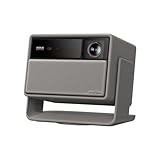

Quick answer
The Epson LS11000 is the best 4K projector for home theater for most dedicated rooms: laser longevity, a flexible motorized lens and 4K/120 support. For true native 4K, the Sony VPL-XW5000ES is the most affordable option. For the deepest blacks on a lamp budget, get the Epson 5050UB, and if you need 4K around $1,000, the Optoma UHD38x is the brightest choice.
On this page
- 1. Native 4K vs Pixel Shifting: What 4K Means on a Projector
- 2. How to Choose the Best 4K Projector for Home Theater
- 3. The Best 4K Projector for Home Theater
- 4. 4K Projector for Home Theater Side by Side
- 5. How We Picked These 4K Projectors
- 6. Does 4K Make a Difference at Your Seating Distance?
- 7. HDR on a 4K Projector: Set Realistic Expectations
- 8. Gaming on a 4K Projector
- 9. What a 4K Projector Costs
- 10. Who Should Buy a 4K Projector, and Who Can Skip It
- 11. Common Mistakes to Avoid
- 12. Frequently Asked Questions
1. Native 4K vs Pixel Shifting: What 4K Means on a Projector
A 4K image is 3840 × 2160, about 8.3 million pixels. Projectors get there in two very different ways.
Native 4K projectors have imaging chips with all 8.3 million pixels. In the consumer market that means LCoS designs such as Sony's SXRD panels in the Sony VPL-XW5000ES. They are the sharpest and most expensive.
Pixel-shifting projectors use a lower-resolution chip and move the image by a fraction of a pixel many times per second, so each frame is built from overlapping sub-frames. Your eye blends them into a single, more detailed picture. Our glossary entry on pixel shifting explains the mechanics, but the variants you will see are:
- DLP XPR (Optoma, BenQ, most smart projectors): a DMD chip shifted to place all 8.3 million pixel positions on screen. Widely accepted as "4K UHD."
- Epson 4K PRO-UHD (3LCD): 1080p-class panels shifted diagonally to double the pixel count. Epson's laser models, such as the LS11000 and Pro Cinema LS9000, use the same 3LCD approach.
Does it matter? Less than the marketing suggests. From typical seating distances, a good pixel-shift projector delivers most of the visible benefit of 4K. Native panels pull ahead on screens of 120 inches and up, when you sit close, or with fine detail like text and film grain. For most rooms, brightness, contrast and lens flexibility affect the picture more than native resolution.
2. How to Choose the Best 4K Projector for Home Theater
Start with the room, not the resolution:
- Measure the throw distance. Throw ratio × screen width = lens-to-screen distance. A 120-inch screen is 104.6 inches wide, so a 1.5:1 lens needs about 13 feet. If the projector cannot reach your screen size from your mounting point, nothing else matters. Use the projector throw calculator.
- Size the brightness. Effective lumens ÷ screen area (sq ft) = foot-lamberts. Aim for 16 fL in a dark room for SDR and 30 fL or more for HDR. A 120-inch screen is 42.7 sq ft, so you want roughly 1,300 effective lumens for HDR, or about 2,100 to 2,600 rated lumens once you allow for an accurate picture mode.
- Decide on contrast vs brightness. Dark, dedicated room: prioritize native contrast (Epson 5050UB, Sony). Living room with light: prioritize lumens and consider an ALR screen.
- Pick a light source. Lamp is cheapest up front; laser and LED last 20,000 hours or more and start instantly.
- Check the inputs. For 4K/120 gaming you need HDMI 2.1 on the projector and through your receiver; for movies, 18 Gbps HDMI 2.0 is enough.
- Check HDR support. All picks handle HDR10; some smart projectors add Dolby Vision, which can help with scene-by-scene tone mapping.
3. The Best 4K Projector for Home Theater

1. Epson Pro Cinema LS11000
$3,500–$4,000 · Best for: Dark dedicated rooms that want laser longevity and a flexible lens without flagship pricing
- Resolution
- 4K PRO-UHD (1080p 3LCD with pixel shifting)
- Brightness
- 2,500 ISO lumens (white and color)
- Light source
- Laser
- Throw ratio
- 1.35–2.84 (2.1x motorized zoom)
The LS11000 is the 4K projector that asks the fewest compromises of a dedicated room. Its laser light source is rated for 20,000 hours, so it holds its brightness for years, starts in seconds and never needs a lamp. Epson rates it at 2,500 lumens, which on a 120-inch, 1.0-gain screen works out to about 35 fL if a calibrated mode keeps 60% of the rating. That is more than double the 16 fL cinema reference for SDR and enough for respectable HDR in a dark room.
The lens is what makes it so easy to live with: a motorized 2.1x zoom (throw ratio of roughly 1.35 to 2.84), wide motorized lens shift and lens memory. You can fill a 120-inch screen from anywhere between about 11.8 and 24.8 feet, and switch between 16:9 and 2.35:1 framing on a scope screen with one button.
It is also future-proof for gaming: HDMI 2.1 inputs accept 4K/120Hz, so a PS5 or Xbox Series X runs at full frame rate. Make sure your receiver passes HDMI 2.1.
The trade-off: 4K comes from pixel shifting, not native panels, and its native contrast trails the lamp-based Epson 5050UB, so the 5050UB still has deeper blacks for less money. Pick the LS11000 for convenience, longevity and gaming; pick the 5050UB if pure black level matters most.
Pros
- Laser light source, no lamp replacements
- Accepts 4K/120 over HDMI 2.1
- Motorized 2.1x zoom with large lens shift
- Strong contrast for a 3LCD design
Cons
- 2,500 ISO lumens is modest for big screens or HDR
- Black levels are good, not flagship-class
- No built-in speakers or streaming

2. Sony VPL-XW5000ES
$5,000–$6,000 · Best for: Dark dedicated theaters where native 4K detail and processing matter most
- Resolution
- Native 4K (4096 x 2160, 3 x 0.61-inch SXRD)
- Brightness
- 2,000 lumens (Sony spec)
- Light source
- Laser
- Throw ratio
- 1.38–2.21 (1.6x zoom)
If you want every one of the 8.3 million pixels on screen to be a real, physical pixel, the XW5000ES is the most affordable way to get there from an established brand. It uses three native 4K (3840 × 2160) SXRD panels, Sony's version of LCoS, driven by a laser light source rated at 2,000 lumens and the X1 Ultimate processor. The result is the sharpest picture on this list, with smooth gradients and HDR tone mapping that reviewers widely praise.
When does native 4K pay off? On big screens and at close seating. Do the maths: a 4K pixel on a 120-inch screen is about 0.027 inches wide, and normal vision resolves that only within about 7.8 feet. A pixel-shift projector approximates that detail well, but fine textures, film grain and small on-screen text are visibly cleaner on native panels when you sit within roughly 1.2 times the screen diagonal.
Brightness maths: 2,000 lumens at about 70% in a calibrated mode gives roughly 33 fL on a 120-inch, 1.0-gain screen. That is fine for a dark room, but this is not a projector for 150-inch screens or rooms with daylight.
The trade-off: no mechanical iris, so native black level is good rather than class-leading, and it costs considerably more than the Epson LS11000 while producing less light. You are paying for resolution and processing. More about Sony.
Pros
- Native 4K SXRD panels, no pixel shifting
- Laser light source with long life
- Sony processing with strong HDR tone mapping
- 1.6x zoom covers 12.0–19.3 ft at 120"
Cons
- 2,000-lumen rating limits big screens and HDR punch
- Expensive
- No speakers or streaming built in

3. Epson Home Cinema 5050UB
$2,500–$3,000 · Best for: Dedicated dark home theaters that prioritize black levels and install flexibility
- Resolution
- 4K PRO-UHD (1080p 3LCD with pixel shifting)
- Brightness
- 2,600 ISO lumens (white and color)
- Contrast
- 1,000,000:1 (dynamic, Epson spec)
- Throw ratio
- 1.35–2.84 (2.1x motorized zoom)
The 5050UB remains the black-level benchmark below laser money. Epson's UltraBlack design combines 3LCD panels with a dynamic iris and extra polarizing filters, and independent reviews have consistently ranked its contrast ahead of most pixel-shift 4K projectors, including Epson's own LS11000.
It is rated at 2,600 lumens, which on a 120-inch screen is about 36 fL at 60% in a calibrated mode, and it shares the theater-grade lens of Epson's lasers: a motorized 2.1x zoom (throw ratio of roughly 1.35 to 2.84) with ±96.3% vertical and ±47.1% horizontal lens shift. That placement freedom matters in real rooms, where the ideal mount point is rarely dead center.
4K is delivered by pixel shifting (Epson calls it 4K PRO-UHD), and it handles HDR10 and HLG through 18 Gbps HDMI inputs, which is plenty for a 4K Blu-ray player at 24 frames per second.
The trade-off: this is a 2019 lamp design. There is no HDMI 2.1, no 4K/120 for gaming and no built-in apps, and you will replace lamps over its life. Versus the Epson Home Cinema 3800, which is brighter at 3,000 lumens and cheaper, the 5050UB wins on contrast and lens flexibility. If your room has light-colored walls or windows, the 3800 is the better buy; if it is a true bat cave, get the 5050UB.
Pros
- Excellent black levels for the price (1,000,000:1 dynamic rating)
- Motorized 2.1x zoom covers 11.8–24.8 ft at 120"
- Huge lens shift, about ±96% vertical and ±47% horizontal
- 2,600 ISO lumens is plenty for a dark room
Cons
- Lamp light source needs replacing
- No 4K/120 input and higher lag than newer models
- Large, heavy chassis

4. Optoma UHD38x
$1,000–$1,400 · Best for: Gaming rooms and bright mixed-use spaces
- Resolution
- 4K UHD (DLP with XPR pixel shifting)
- Brightness
- 4,000 ANSI lumens
- Input lag
- About 4.2 ms at 1080p/240 Hz; about 16 ms at 4K/60 (Optoma spec)
- Throw ratio
- About 1.5–1.65 (1.1x zoom)
If you are searching for the best 4K projector for home theater under $1,000, the UHD38x is the one to beat. It typically sells around that mark and Optoma rates it at 4,000 lumens, the highest output on this list. That is roughly 4 rated lumens per dollar, against about 0.4 for the native 4K Sony.
That brightness buys flexibility. On a 120-inch screen, even 50% of the rating is about 47 fL, so you can watch with some lamps on, or use an ALR screen in a living room. It is also excellent for gaming: Optoma quotes 4.2 ms input lag at 1080p/240Hz and about 16 ms at 4K/60Hz.
The 4K image uses a DLP chip with pixel shifting. Sharpness is good from normal seating distances; what you give up is contrast. In a fully dark room, blacks look noticeably grayer than on the Epson 5050UB, and HDR looks bright rather than deep.
The trade-off: placement. The zoom range is narrow, so you need to mount it close to the right distance for your screen size; check yours in the projector throw calculator. If you prefer a smart platform and 3LCD's lack of rainbow artifacts, the Epson Home Cinema 2350 is the alternative at a similar price. More budget picks are in our budget projector guide.
Pros
- 4,000 ANSI lumens, very bright for the money
- 1080p/240 Hz mode with about 4.2 ms lag (Optoma spec)
- 4K/60 gaming at about 16 ms (Optoma spec)
- Built-in speaker
Cons
- Only a 1.1x zoom and no lens shift
- Lamp needs periodic replacement
- Average black levels

5. Optoma UHZ36
$1,100–$1,300 · Best for: Dark home theaters that want an affordable, lamp-free 4K laser projector from a major brand
- Resolution
- 4K UHD (DLP with XPR pixel shifting)
- Light source
- Laser
- HDR
- HDR10
- Picture modes
- Filmmaker Mode
The UHZ36 is the most affordable way on this list to get a 4K laser projector from a major brand. It is the successor to the UHZ35, in a lower price band, and the recipe is simple: a 4K UHD DLP image built with pixel shifting, a laser light source with no lamps to replace, HDR10 support and Filmmaker Mode, which switches off motion smoothing and extra processing so films look as graded.
Why choose it over the lamp-based UHD38x at a similar price? Because the laser removes the lamp-replacement cycle and the steady dimming that comes with it. At 20 hours of viewing a week, a lamp projector may need two or three lamps over a decade; a laser needs none, and it turns on instantly.
Do the brightness maths yourself. Optoma's Amazon listing quotes no lumen figure, so take the rating from Optoma's spec sheet, assume 50–60% survives in an accurate mode, and divide by your screen area: 42.7 sq ft at 120 inches, 29.7 at 100 inches. Aim for at least 16 fL for SDR and 30 fL for HDR.
The trade-off: a thin spec sheet. There is no lumen, throw or input-lag figure on the listing and no lens shift listed, so the UHD38x (4,000 lumens, 4.2 ms at 1080p/240Hz) and the BenQ TK710 (3,200 lumens, lens shift) are safer if you need documented numbers. Single-chip DLP blacks also trail the Epson 5050UB in a pitch-black room. For more lasers, see our laser projector guide.
Pros
- Laser light source: no lamp replacements
- 4K UHD with HDR
- Filmmaker Mode for accurate film playback
- Lower price band than the UHZ35 it replaces
Cons
- Amazon listing omits lumens, throw ratio and input lag
- Pixel-shifting 4K, not native
- No lens shift listed

6. XGIMI Horizon 20 Max
$2,500–$2,700 · Best for: Big screens and living rooms with some light that want a bright, all-in-one 4K projector
- Resolution
- 4K UHD (DLP with XPR pixel shifting)
- Brightness
- 5,700 ISO lumens (peak, XGIMI spec)
- Light source
- RGB triple laser (X-Master)
- HDR
- Dolby Vision, HDR10, IMAX Enhanced
The Horizon 20 Max is for people who want a 4K home theater projector with streaming built in and no rack of gear. It is the successor to the Horizon S Max and a big step up in light: XGIMI rates its X-Master RGB triple laser at 5,700 ISO lumens peak, the highest rating on this list, and Google TV with licensed Netflix is built in. It supports Dolby Vision and IMAX Enhanced, which most traditional home theater projectors do not; Dolby Vision's scene-by-scene metadata helps a projector's limited brightness go further with HDR.
Brightness maths: on a 120-inch screen (42.7 sq ft), 5,700 lumens is about 133 fL on paper. Even at 50% in an accurate mode, that is roughly 67 fL, enough to keep HDR punchy in a living room with some light, or to drive a 150-inch screen (66.7 sq ft) at about 43 fL.
Unlike most all-in-ones, it also has optical zoom and lens shift, so you can keep full 4K detail when the projector sits off-center instead of leaning on digital keystone. Gamers get a 240 Hz mode with 1 ms claimed input lag.
The trade-off: DLP contrast (20,000:1 on XGIMI's spec) trails the Epson 5050UB and the Sony in a pitch-black room, and triple-laser speckle bothers some viewers. For a permanent dark theater, a traditional projector like the Epson LS11000 is the better tool; for bright, flexible 4K in a shared space, the XGIMI makes more sense. See all XGIMI models.
Pros
- 5,700 ISO lumens from an RGB triple laser
- Optical zoom and lens shift, unusual for an all-in-one
- Dolby Vision and IMAX Enhanced
- Google TV with licensed Netflix built in
- 240 Hz gaming with 1 ms claimed input lag
Cons
- Laser speckle is visible to some viewers
- Peak-brightness rating; accurate picture modes deliver less
- DLP contrast trails the best dark-room projectors

7. Optoma UHD35STx
$1,000–$1,400 · Best for: Gaming setups in small or shallow rooms
- Resolution
- 4K UHD (DLP with XPR pixel shifting)
- Brightness
- 3,600 ANSI lumens
- Throw ratio
- About 0.5 (short throw, fixed)
- Input lag
- About 4.2 ms at 1080p/240 Hz; about 16 ms at 4K/60 (Optoma spec)
Small room? A standard-throw projector may need 11 to 13 feet for a 120-inch image. The UHD35STx needs about a third of that. With a 0.5:1 throw ratio, it fills a 100-inch screen from roughly 3.6 feet (0.5 × 87.2 inches = 43.6 inches) and a 120-inch screen from about 4.4 feet. Check your room in the projector throw calculator.
That opens up rooms where a long-throw projector is impossible: a spare bedroom, a narrow basement, or a living room where you want the projector on a table in front of the seats rather than on the ceiling behind them. Because it sits in front of the audience, heads don't block the beam.
Optoma rates it at 3,600 lumens, and it shares the UHD38x's gaming chops with 4.2 ms input lag at 1080p/240Hz. The 4K picture comes from a DLP chip with pixel shifting, with HDR10 and HLG support.
The trade-off: it is a lamp projector with modest native contrast, and short-throw lenses magnify any unevenness in the screen surface, so a tensioned or fixed-frame screen is a must. Compared with an ultra short throw like the Hisense PX3-Pro, it sits farther from the wall but costs far less. For more short-throw and UST picks, see our laser projector guide.
Pros
- Short throw: 100" from about 3.6 ft
- 3,600 ANSI lumens for dim rooms
- 1080p/240 Hz mode with about 4.2 ms lag (Optoma spec)
- Good value for a 4K short throw
Cons
- No optical zoom
- Lamp needs periodic replacement
- Average black levels
- Viewers close to the screen can cast shadows
4. 4K Projector for Home Theater Side by Side
| Product | Score | Price | Resolution | Brightness | Light source | Throw ratio | HDR | Buy |
|---|---|---|---|---|---|---|---|---|
| Epson Pro Cinema LS11000 Best Overall 4K | 86 | $3,500–$4,000 | 4K PRO-UHD (1080p 3LCD with pixel shifting) | 2,500 ISO lumens (white and color) | Laser | 1.35–2.84 (2.1x motorized zoom) | HDR10, HLG | Amazon → |
| Sony VPL-XW5000ES Best Native 4K | 88 | $5,000–$6,000 | Native 4K (4096 x 2160, 3 x 0.61-inch SXRD) | 2,000 lumens (Sony spec) | Laser | 1.38–2.21 (1.6x zoom) | HDR10, HLG | Amazon → |
| Epson Home Cinema 5050UB Best 4K for Dark Rooms | 84 | $2,500–$3,000 | 4K PRO-UHD (1080p 3LCD with pixel shifting) | 2,600 ISO lumens (white and color) | Lamp | 1.35–2.84 (2.1x motorized zoom) | HDR10, HLG | Amazon → |
| Optoma UHD38x Best 4K Around $1,000 | 80 | $1,000–$1,400 | 4K UHD (DLP with XPR pixel shifting) | 4,000 ANSI lumens | Lamp | About 1.5–1.65 (1.1x zoom) | HDR10, HLG | Amazon → |
| Optoma UHZ36 Best Affordable 4K Laser | 79 | $1,100–$1,300 | 4K UHD (DLP with XPR pixel shifting) | — | Laser | — | HDR10 | Amazon → |
| XGIMI Horizon 20 Max Best Smart 4K | 85 | $2,500–$2,700 | 4K UHD (DLP with XPR pixel shifting) | 5,700 ISO lumens (peak, XGIMI spec) | RGB triple laser (X-Master) | — | Dolby Vision, HDR10, IMAX Enhanced | Amazon → |
| Optoma UHD35STx Best 4K Short Throw | 78 | $1,000–$1,400 | 4K UHD (DLP with XPR pixel shifting) | 3,600 ANSI lumens | Lamp | About 0.5 (short throw, fixed) | HDR10, HLG | Amazon → |
5. How We Picked These 4K Projectors
We considered every 4K projector in our catalog and ranked them on:
- Usable brightness on a 120-inch screen, assuming 50–70% of rated lumens in an accurate mode.
- Contrast for dark-room movie watching, from manufacturer specs and widely published independent measurements.
- Lens flexibility (optical zoom, lens shift, lens memory), because keystone correction erodes 4K detail.
- Light source and long-term cost, including lamp replacements and rated laser life.
- Owner-reported reliability and support history.
We have not bench-tested these projectors in a lab. These rankings come from spec research, room maths and owner reports, and we leave out any spec we could not confirm. We also made sure there is a credible pick for every type of 4K buyer: native 4K, laser, lamp, smart, short throw and the around-$1,000 tier.
6. Does 4K Make a Difference at Your Seating Distance?
It depends on screen size and distance, and you can calculate it. Normal (20/20) vision resolves detail of about one arcminute. On a 16:9 screen:
- 1080p pixels become invisible beyond roughly 1.6 × the screen diagonal.
- 4K pixels become invisible beyond roughly 0.8 × the screen diagonal.
Between those two distances, 4K is visibly sharper than 1080p. For a 120-inch screen, that window runs from about 16 feet down to 8 feet. Sitting at 12 feet from a 120-inch screen, you are well inside it, so 4K matters. Sitting 15 feet from a 100-inch screen (1.8 × diagonal), the difference is minimal, and a bright 1080p projector like the BenQ TH575 may be the smarter buy.
Field of view tells you how big to go. A 40-degree view (THX's immersive recommendation) means sitting about 1.2 × the diagonal away; 30 degrees (SMPTE) is about 1.6 ×. A 4K projector lets you sit in that immersive zone without seeing pixels, which is the real reason to buy one. Try the viewing distance calculator with your room, and see our screen guide for sizes.
7. HDR on a 4K Projector: Set Realistic Expectations
HDR content is mastered for displays that reach 1,000 nits or more. A projector on a 120-inch screen at 35 fL is producing about 120 nits (1 fL ≈ 3.43 nits). That is a huge gap, so every projector has to tone map: compress the HDR signal into the brightness it actually has.
Two things follow:
- Tone mapping quality matters more than peak lumens. Sony's dynamic HDR processing and Epson's adjustable tone-mapping slider are good examples of tools that keep highlights detailed without making the whole image dim.
- Dolby Vision helps. Smart projectors such as the XGIMI Horizon 20 Max and Hisense PX3-Pro support Dolby Vision, whose scene-by-scene metadata can make tone mapping more consistent. Most traditional home theater projectors support HDR10 and HLG only.
If HDR punch is your priority and you watch in a bright room, a large Mini LED or OLED TV will outperform any projector. Our guide to the best TV for home theater covers that route.
8. Gaming on a 4K Projector
Projectors have become excellent gaming displays, but the details matter:
- 4K/60 vs 4K/120. Most 4K projectors accept 4K at 60Hz. The Epson LS11000 accepts 4K/120 over HDMI 2.1, which current consoles can use in supported games.
- High refresh at 1080p. Optoma's UHD38x and UHD35STx accept 1080p at 240Hz with 4.2 ms of input lag, and XGIMI claims 1 ms for the Horizon 20 Max in its 240 Hz mode. All three are ideal for competitive shooters.
- Signal chain. If your console goes through a receiver, the receiver must pass the same format. Many 2023-and-later receivers in our receiver guide support 4K/120 passthrough on some inputs.
For movies first and gaming second, any pick here is fine. For gaming first, prioritize the Optoma lamp models, the XGIMI or the Epson LS11000.
9. What a 4K Projector Costs
Approximate tiers, since street prices move:
- Around $1,000: entry pixel-shift 4K, such as the Optoma UHD38x and Epson Home Cinema 2350, with the laser Optoma UHZ36 a small step up. Bright and sharp; limited contrast and lens flexibility. This is the answer to "best 4K projector for home theater under $1,000."
- $1,500 to $3,000: the value sweet spot. The Epson Home Cinema 3800 and 5050UB, plus smart lasers like the XGIMI Horizon 20 Max.
- $3,000 to $5,000: laser home theater projectors with motorized lenses, including the LS11000 and LS9000, plus premium ultra short throws.
- $5,000 and up: native 4K, starting with the Sony VPL-XW5000ES.
Which Epson 4K projector is best for home theater? For most rooms, the 3800; for dark rooms, the 5050UB; for laser and 4K/120 gaming, the LS11000. Our Epson projector review compares the whole lineup.
10. Who Should Buy a 4K Projector, and Who Can Skip It
Buy a 4K projector if: your screen is 100 inches or larger and you sit within about 1.6 times the diagonal, you watch 4K Blu-ray or high-bitrate streams, or you want the option to sit closer for a more cinematic field of view.
Stay at 1080p if: you sit far back from a modest screen, your budget is under $500 (where 1080p projectors are brighter and better made than "4K-compatible" models), or the room is bright enough that contrast and brightness matter more than resolution. Our best projector for home theater guide covers both.
Be wary of cheap projectors labeled "4K supported." That usually means they accept a 4K signal and downscale it to a lower native resolution.
11. Common Mistakes to Avoid
Confusing "4K supported" with 4K
Many cheap projectors accept a 4K signal but display it at 1080p or lower. Look for native 4K or a named pixel-shift system (DLP XPR, Epson 4K PRO-UHD) and a stated output resolution of 3840 × 2160.
Choosing native 4K over brightness and contrast
A dim native 4K projector on a too-large screen looks worse than a bright pixel-shift model. Calculate foot-lamberts for your screen first, then decide whether native resolution is worth the premium.
Sitting too far away to see the benefit
Beyond about 1.6 times the screen diagonal, 4K and 1080p look nearly identical. If you sit that far back, either get a bigger screen or spend the money on contrast and sound instead.
Using keystone to fix placement
Digital keystone and zoom scale the image and throw away the detail you paid for. Use lens shift or move the projector, and keep keystone at zero on a 4K projector.
Ignoring the HDMI chain
A 4K/120 projector is wasted if the receiver or cable in between only passes 4K/60. Use certified Ultra High Speed HDMI cables and check every device for HDMI 2.1 support.
12. Frequently Asked Questions
Is pixel-shift 4K real 4K?
Pixel-shift 4K puts 4K-level detail on screen by rapidly shifting a lower-resolution image, and from normal seating distances it looks very close to native 4K. It is not physically 4K at the chip, so native 4K projectors like the Sony VPL-XW5000ES are sharper on very large screens or at close range.
What is the best 4K projector for home theater under $1,000?
The Optoma UHD38x is the best 4K projector around $1,000 for most rooms: it is rated at 4,000 lumens and has 4.2 ms input lag at 1080p/240Hz. The Epson Home Cinema 2350 is the alternative if you want built-in streaming apps and 3LCD, which avoids DLP rainbow artifacts.
Is a 4K projector worth it over 1080p?
Yes, if you sit within about 1.6 times the screen diagonal; for a 120-inch screen that is roughly 16 feet. Inside that distance 4K is visibly sharper. Farther back, a bright, high-contrast 1080p projector delivers nearly the same perceived detail for less money.
How many lumens does a 4K home theater projector need?
For a dark room and a 100- to 120-inch screen, about 2,000 to 2,600 rated lumens delivers the roughly 30 foot-lamberts HDR benefits from. In a room with ambient light, choose 3,000 lumens or more and consider an ambient light rejecting screen.
What is the best native 4K projector for home theater?
The Sony VPL-XW5000ES is the most affordable native 4K home theater projector from a major brand. It uses three native 4K SXRD panels and a laser rated at 2,000 lumens. It is best in dark rooms with screens up to about 120 to 135 inches.
Do I need HDMI 2.1 on a 4K projector?
Only for 4K at 120Hz gaming. Movies, including 4K Blu-ray, play at 24 frames per second and need nothing more than 18 Gbps HDMI 2.0. If you have a PS5 or Xbox Series X and want 4K/120, choose a projector like the Epson LS11000 and a receiver that passes HDMI 2.1.
Which is better for 4K, laser or lamp?
Laser is better for longevity and convenience: it is typically rated for 20,000 hours, holds brightness and turns on instantly. Lamp projectors cost less up front and can deliver more lumens per dollar, but they dim over time and need replacement lamps every few years of regular use.
How far should a 4K projector be from the screen?
Multiply the throw ratio by the screen width. For a 120-inch 16:9 screen (104.6 inches wide), a 1.5:1 lens needs about 13 feet, while a 0.5:1 short-throw lens like the Optoma UHD35STx needs only about 4.4 feet. Check the zoom range so you have some flexibility.
Related Guides
Projectors
Best Projector for Home Theater
The best projector for home theater in 2026, matched to your room: 8 picks from budget 4K to laser, native 4K and UST, with lumens and throw maths for each.
Projectors
Best Laser Projector for Home Theater
The best laser projector for home theater in 2026: 7 picks across long-throw, short-throw and ultra short throw, with throw distances and running-cost maths.
Projector Screens
Best Projector Screen for Home Theater
The best projector screen for home theater in 2026: 6 fixed, ALR, UST and motorized picks, plus the gain, size and seating maths to choose the right one.
The Bottom Line
The best 4K projector for home theater for most dedicated rooms is the Epson LS11000, with laser longevity, a motorized lens and 4K/120. If you want true native 4K, the Sony VPL-XW5000ES is the entry point. The Epson 5050UB has the deepest blacks for the money, the Optoma UHD38x is the 4K pick around $1,000, and the Optoma UHZ36 is the most affordable 4K laser. For living rooms, the XGIMI Horizon 20 Max packs a 5,700-lumen triple laser, Dolby Vision and Google TV into one box, and the Optoma UHD35STx puts a 120-inch picture in rooms too small for a standard projector. Match brightness to your screen and throw to your room, and the 4K will take care of itself.