Projector Screens
Best Projector Screen for Home Theater
We research every product against its spec sheet and independent measurements. When you buy through our links we may earn a commission, at no cost to you. How we score · Disclosure
The best projector screen for home theater is flat, close to neutral in color, sized for your seats and matched to your projector and room. For most dark or dim rooms with a ceiling- or shelf-mounted projector, that is the Elite Screens Sable Frame 2: a fixed-frame screen with a near-unity-gain white surface, a velvet-wrapped frame that absorbs overspill, and a wide range of sizes.
A screen is the cheapest picture upgrade in a projector setup, and the most often skipped. This guide is for anyone choosing between white, gray and ambient light rejecting (ALR) screens, or between fixed, motorized and pull-down designs. We picked six screens for different rooms and projectors, using material specs, room maths and owner-reported durability.
Our top picks at a glance


Quick answer
The Elite Screens Sable Frame 2 is the best projector screen for home theater in a light-controlled room: flat, neutral and affordable. On a tight budget, the Silver Ticket STR-169120 gives you a 120-inch fixed frame for less. For a room with ambient light and a ceiling-mounted projector, get the Elite Screens CineGrey 3D; for an ultra short throw projector, get a ceiling-light-rejecting screen like the Elite Screens Aeon CLR 3.
On this page
- 1. Screen Specs That Matter
- 2. How to Choose the Best Projector Screen for Home Theater
- 3. The Best Projector Screen for Home Theater
- 4. Projector Screen for Home Theater Side by Side
- 5. How We Chose These Screens
- 6. What Size Screen Do You Need?
- 7. White, Gray or ALR: Which Screen Material?
- 8. Fixed Frame vs Motorized vs Pull-Down
- 9. Can You Use a Wall or Screen Paint Instead?
- 10. Matching the Screen to Your Projector
- 11. Who Needs a Premium Screen
- 12. Common Mistakes to Avoid
- 13. Frequently Asked Questions
1. Screen Specs That Matter
Four specs decide how a screen looks in your room:
- Gain. How much light the screen reflects back toward the center seat compared with a perfectly diffuse reference surface (gain 1.0). A 1.3-gain screen looks about 30% brighter on axis, but the extra brightness comes from a narrower viewing cone and can cause "hotspotting," a brighter center. Gray and ALR screens often have gain below 1.0. For most home theaters, a gain between 0.8 and 1.3 is the safe range.
- Material color. White screens are the most accurate and the brightest in dark rooms. Gray screens lower black level, which helps in rooms with some light, at the cost of brightness.
- Ambient light rejection. An ALR screen uses optical structures to favor light from the projector's direction and reject light from elsewhere. Standard ALR is designed for projectors in front of the screen; ceiling light rejecting (CLR) screens are designed for ultra short throw projectors below it.
- Type. Fixed frame (flattest, best picture), motorized (disappears at the push of a button), or manual pull-down (cheapest, simplest).
Size and aspect ratio come next. Most people should buy 16:9; a 2.35:1 "scope" screen suits film fans with a projector whose powered lens can zoom between formats (ideally with lens memory), such as Epson's Pro Cinema LS9000 or LS11000.
2. How to Choose the Best Projector Screen for Home Theater
Answer these in order:
- What kind of projector do you have? Ultra short throw: you need a CLR screen made for UST. Long throw or short throw: white, gray or standard ALR screens all work.
- How dark is the room? Fully dark, dark walls: a white, unity-gain screen is best. Some ambient light or light-colored walls: consider gray or ALR.
- How big? Base it on your seating distance. A 40-degree field of view (immersive) means sitting about 1.2 times the screen diagonal away; 30 degrees (relaxed) is about 1.6 times. Then check your projector can light that size (below).
- Can the screen stay up permanently? Yes: fixed frame. No: motorized or pull-down.
- How bright is your projector? Foot-lamberts = effective lumens × gain ÷ screen area in square feet. Aim for 16 fL or more for SDR in a dark room and 30 fL or more for HDR.
A 120-inch screen is 42.7 sq ft; a 100-inch screen is 29.7 sq ft. If your projector delivers about 1,300 effective lumens, a 1.0-gain 120-inch screen gives about 30 fL.
3. The Best Projector Screen for Home Theater

1. Elite Screens Sable Frame 2
$250–$400 · Best for: Dark home theaters and basements on a budget
- Size
- 120 in. diagonal (other sizes available)
- Gain
- 1.1
- Material
- CineWhite (matte white)
- ALR
- No
The Sable Frame 2 is the screen we would recommend to most people with a dedicated or darkened room, because it gets the fundamentals right at a sensible price. It uses Elite's CineWhite material with a gain of about 1.1, which means it reflects light almost evenly in all directions. You get a wide viewing angle, accurate color and no hotspot in the middle of the image.
It is a fixed-frame design: the material stretches across a rigid aluminum frame, so the surface stays flat. Flatness matters more than most buyers expect; waves and ripples in a pull-down screen show as distortion, especially on pans. The frame is wrapped in black velvet, which absorbs any light that spills past the image edge and makes the picture look sharper and higher in contrast.
Pairing maths: a 120-inch screen is 42.7 sq ft. With a 1.1 gain, a projector delivering 1,500 effective lumens produces about 39 fL (1,500 × 1.1 ÷ 42.7). That suits nearly every projector in our best projector for home theater guide, from the Epson Home Cinema 3800 to the Sony VPL-XW5000ES.
The trade-off: a white screen does nothing to reject ambient light. In a room with windows or light walls, contrast drops quickly. If you watch with lights on, look at the CineGrey 3D version below. See all Elite Screens models.
Pros
- CineWhite 1.1-gain surface with wide viewing angles
- Tensioned fixed frame keeps the surface flat
- Black velvet border sharpens image edges
- Many sizes available
Cons
- No ambient light rejection
- Two-person assembly
- Not designed for ultra short throw projectors

2. Silver Ticket STR-169120 Fixed Frame Screen
$300–$450 · Best for: Dark, dedicated rooms that want a flat 120" screen for the money
- Size
- 120 in. diagonal
- Gain
- About 1.1
- Type
- Fixed frame
- ALR
- No
If you want a real fixed-frame screen without spending much, the Silver Ticket STR-169120 has been an enthusiast favorite for years. It is a 120-inch, 16:9 screen with a white matte material stretched over a frame covered in black velvet, so you get the two things that matter most, a flat surface and a light-absorbing border, at a budget price.
Why 120 inches? It is the sweet spot for many rooms. At a 12-foot seating distance, a 120-inch screen fills about 40 degrees of your field of view, the THX recommendation for an immersive picture, and most 2,000-plus lumen projectors can light it comfortably. The maths: with 1,300 effective lumens on 42.7 sq ft, you get about 30 fL at unity gain, which is enough for HDR in a dark room.
Assembly is a weekend-afternoon job: you build the frame and attach the material. Owners consistently report that the result looks far better than the price suggests, though the frame and hardware are not as refined as premium brands.
The trade-off: like any white screen, it cannot reject ambient light, and the budget material has less margin for very bright projectors in small rooms, where you may notice sparkle or texture up close. The Akia Screens fixed frame is a similar budget alternative. Compared with the Elite Sable Frame 2, you save money and accept a slightly less polished build.
Pros
- Flat, tensioned fixed-frame surface
- Velvet-wrapped frame absorbs overspill
- Matte white gives wide, even viewing angles
- Strong value for a 120" screen
Cons
- No ambient light rejection
- Assembly takes two people and some patience
- Not suited to ultra short throw projectors
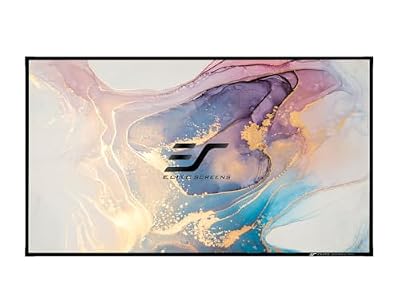
3. Elite Screens Sable Frame CineGrey 3D
$450–$800 · Best for: Living rooms and media rooms with some ambient light and a standard-throw projector
- Size
- 120 in. diagonal (other sizes available)
- Gain
- 1.2
- Material
- CineGrey 3D (grey ALR)
- ALR
- Yes (for standard-throw projectors)
Not every home theater can be blacked out. If your projector is ceiling-mounted or on a rear shelf and your room has windows, lamps or light walls, an ALR screen is the upgrade that makes the biggest visible difference. The CineGrey 3D is Elite's popular ALR material for standard-throw projectors, mounted in the same fixed Sable Frame design as our top pick.
It has a gain of about 1.2 and a gray, angular-reflective surface. Light from the projector, arriving from the front, is reflected back toward the seats, while light arriving from steep angles (windows to the side, lamps overhead) is partly absorbed or reflected away. The gray base also lowers black level, so dark scenes keep more contrast when there is light in the room.
Pairing maths: on a 120-inch screen, 1,500 effective lumens at 1.2 gain gives about 42 fL. That is a good match for bright projectors such as the Optoma UHD38x or BenQ TK710, which deliver plenty of light for living rooms.
The trade-off: viewing angle is narrower than a white screen, so seats far off to the side see a dimmer image, and ALR materials can show slight texture or sheen. Do not use it with an ultra short throw projector: UST light arrives from below at a steep angle, and this material is not designed for it. For USTs, see the Aeon CLR 3 below.
Pros
- 1.2 gain adds brightness over matte white
- Rejects ambient light to keep contrast
- Grey base improves black levels with lights on
- Tensioned fixed frame keeps it flat
Cons
- Narrower viewing angle than matte white
- Not for ultra short throw projectors
- Costs more than a white screen

4. Elite Screens Aeon CLR 3
$1,300–$2,500 · Best for: Bright living rooms with an ultra short throw laser projector
- Material
- CLR 3 (ceiling light rejecting)
- Type
- Fixed frame, edge-free thin bezel
- ALR
- Yes, ceiling light rejecting (UST only)
- Frame
- Thin-bezel aluminum
Ultra short throw projectors need a completely different kind of screen, and the Aeon CLR 3 is designed for exactly that. "CLR" stands for ceiling light rejecting: the surface uses tiny angled ridges that reflect light arriving from below (the UST) toward the viewer, while light from above (ceiling fixtures, sun through high windows) is directed down toward the floor instead of back into your eyes.
The result is a picture that keeps its contrast with lights on, which is the whole point of a UST as a TV replacement. The screen uses a thin, edge-free frame that looks more like a TV bezel than a cinema border, which suits a living room.
Why not a white screen? A UST hits the screen from just inches away at a steep angle. On a matte white or standard ALR surface, that light scatters in every direction, and the ceiling lights hit the screen with equal force. On a CLR surface, the projector's light is favored and room light is rejected. Pair it with the Hisense PX3-Pro or Epson LS800 from our laser projector guide.
The trade-off: price and specificity. CLR screens cost far more than white fixed frames, and they only work properly with UST projectors, so if you later switch to a ceiling-mounted projector, the screen will not suit it. Viewing angle is also narrower than a white screen.
Pros
- Rejects overhead light to keep contrast in bright rooms
- Designed for the steep angle of UST projectors
- Thin-bezel frame looks like a TV
- Rigid frame keeps the surface flat
Cons
- Works only with ultra short throw projectors
- Expensive compared with white screens
- Assembly must be careful to avoid surface waves

5. Elite Screens Spectrum Motorized Screen
$300–$500 · Best for: Living rooms and multi-use spaces where the screen must retract
- Size
- 120 in. diagonal (other sizes available)
- Gain
- About 1.1
- Type
- Electric motorized, roll-down
- ALR
- No
In many homes, the screen has to disappear when the movie ends: it hangs in front of a TV, a window or a bookcase. The Elite Spectrum is the best motorized projector screen for home theater on a reasonable budget. It rolls up into a wall- or ceiling-mounted case and drops at the press of a button, using Elite's MaxWhite material, a white surface with a gain of about 1.1 for wide viewing angles.
Elite's motorized screens include remote control and support a low-voltage trigger, so the screen can drop automatically when the projector turns on and retract when it switches off. Combine that with a universal remote and movie night starts with one button.
Sizing tip: because a motorized screen often hangs in front of a TV, check that the drop length leaves the bottom edge where you want it relative to your eye level. The center of the image should sit near seated eye height or a little above.
The trade-off: flatness. Non-tensioned roll-up screens can develop slight waves at the edges over time, which become visible on panning shots and with short-throw projectors. If flatness matters most and the screen can stay up permanently, a fixed frame like the Sable Frame 2 is better. Motorized screens also need power near the mounting point, which is easier to plan before drywall work. Compared with the pull-down below, you pay more for convenience and a cleaner look.
Pros
- Motorized drop with remote control
- 12 V trigger for automatic raise and lower
- MaxWhite 1.1-gain surface with wide viewing angles
- Wall or ceiling mounting
Cons
- Not tab-tensioned, so slight waves can appear
- No ambient light rejection
- Unsuitable for ultra short throw projectors

6. Elite Screens Manual B Pull Down Screen
$80–$150 · Best for: Bedrooms, rentals and multipurpose rooms where the screen must retract
- Size
- 100 in. diagonal (other sizes available)
- Gain
- About 1.1
- Type
- Manual pull-down
- ALR
- No
The Manual B is the simplest way to add a proper screen to a room that has to do other jobs. It is a manual pull-down screen in a slim case that mounts on a wall or ceiling. Pull it down for movie night; let it retract when you are done. There are no motors, no wiring and no power outlet to find, and it costs a fraction of a motorized screen.
It uses a white matte surface, which works with any long-throw projector and gives the wide viewing angle you want in a family room with mismatched seating. For a first projector, a dorm, a rental or a multipurpose basement, it is a big step up from a painted wall: the surface is smoother, more uniform and more neutral in color.
Sizing maths: a 100-inch 16:9 screen is about 87 inches wide. From 10 feet, it fills roughly 40 degrees of your field of view, the THX immersive target. Check your room with the viewing distance calculator.
The trade-off: flatness and durability. Pull-down screens can curl at the edges and develop waves over years of use, and the spring mechanism needs a gentle hand. Avoid pairing it with short-throw or ultra short throw projectors, which magnify surface imperfections. If you want push-button convenience, step up to the Elite Spectrum; if the screen can stay up, a fixed frame like the Silver Ticket is flatter for similar money.
Pros
- Very low price
- Retracts when not in use
- Wall or ceiling mounting
- No power or wiring needed
Cons
- Not tensioned, so waves and curled edges are common
- No ambient light rejection
- Unsuitable for ultra short throw projectors
4. Projector Screen for Home Theater Side by Side
| Product | Score | Price | Size | Gain | Material | Type | ALR | Buy |
|---|---|---|---|---|---|---|---|---|
| Elite Screens Sable Frame 2 Best Overall | 83 | $250–$400 | 120 in. diagonal (other sizes available) | 1.1 | CineWhite (matte white) | Fixed frame | No | Amazon → |
| Silver Ticket STR-169120 Fixed Frame Screen Best Value | 81 | $300–$450 | 120 in. diagonal | About 1.1 | Matte white, 4K/8K-rated | Fixed frame | No | Amazon → |
| Elite Screens Sable Frame CineGrey 3D Best ALR for Standard Projectors | 85 | $450–$800 | 120 in. diagonal (other sizes available) | 1.2 | CineGrey 3D (grey ALR) | Fixed frame | Yes (for standard-throw projectors) | Amazon → |
| Elite Screens Aeon CLR 3 Best for Ultra Short Throw | 84 | $1,300–$2,500 | Multiple sizes (check the listing) | — | CLR 3 (ceiling light rejecting) | Fixed frame, edge-free thin bezel | Yes, ceiling light rejecting (UST only) | Amazon → |
| Elite Screens Spectrum Motorized Screen Best Motorized | 78 | $300–$500 | 120 in. diagonal (other sizes available) | About 1.1 | MaxWhite FG (matte white) | Electric motorized, roll-down | No | Amazon → |
| Elite Screens Manual B Pull Down Screen Best Pull-Down | 70 | $80–$150 | 100 in. diagonal (other sizes available) | About 1.1 | MaxWhite matte white | Manual pull-down | No | Amazon → |
5. How We Chose These Screens
We compared every screen in our catalog against four criteria:
- Surface flatness and frame design, since waves and ripples are the most visible screen flaw.
- Material suitability: gain, color neutrality and viewing angle, from manufacturer specifications.
- Room fit: one strong option for dark rooms, ambient-light rooms, ultra short throw projectors, and rooms where the screen has to disappear.
- Owner-reported durability and quality control, including assembly issues, material defects and how well screens hold up over years.
We have not bench-tested these screens in a lab. Rankings come from specs, room maths and long-term owner reports. Where a manufacturer does not publish a figure we could confirm, we left it out.
6. What Size Screen Do You Need?
Size the screen from your seats, not your wall. The industry guidelines use field of view: SMPTE recommends at least 30 degrees and THX recommends about 40 degrees for an immersive picture. For a 16:9 screen:
- Viewing distance ≈ 1.2 × diagonal for 40 degrees
- Viewing distance ≈ 1.6 × diagonal for 30 degrees
| Seating distance | Immersive (40°) | Relaxed (30°) |
|---|---|---|
| 9 ft | about 90 in | about 68 in |
| 10 ft | about 100 in | about 75 in |
| 12 ft | about 120 in | about 90 in |
| 14 ft | about 140 in | about 105 in |
So for a 12-foot viewing distance, a 120-inch screen is immersive and 100 inches is a comfortable middle ground. With a 4K projector you can sit closer without seeing pixels; with 1080p, stay at least 1.6 times the diagonal back, or pixel structure becomes visible. The viewing distance calculator will do this for any room.
Then check the wall: leave room for the frame and speakers, and keep the bottom of the image high enough to clear heads in the front row if you have tiered seating. Finally, confirm your projector's throw range can fill that size from your mount point with the projector throw calculator.
7. White, Gray or ALR: Which Screen Material?
White (gain around 1.0 to 1.3) is the reference choice for a light-controlled room. It is the brightest, the most color-neutral and has the widest viewing angle. If your room has dark walls and you watch at night, a white screen like the Sable Frame 2 gives the best picture for the money.
Gray (gain below 1.0) lowers the black floor, which helps contrast when there is some stray light, but it also lowers brightness, so it needs a brighter projector. Plain gray does not reject ambient light by direction; it just absorbs more of everything.
ALR screens use directional optics, not just color. They reflect light from the projector's angle toward the seats and send light from other angles elsewhere. In rooms with ambient light, a good ALR screen can preserve dramatically more contrast than white. The trade-offs are narrower viewing angles, possible surface texture and a higher price.
Rule of thumb: dedicated dark room: white. Living room with a long-throw projector: standard ALR like the CineGrey 3D. Living room with a UST: CLR like the Aeon CLR 3.
8. Fixed Frame vs Motorized vs Pull-Down
| Type | Picture quality | Convenience | Best for |
|---|---|---|---|
| Fixed frame | Best: flattest surface, light-absorbing border | Permanent | Dedicated theaters, media rooms |
| Motorized | Good; edges can wave over time | Drops on command, can link to projector | Living rooms, screens in front of a TV |
| Manual pull-down | Fair; most prone to curling | Simple, no power needed | Multipurpose rooms, first projectors |
For a dedicated home theater, a fixed frame is the clear choice: it is the flattest surface for the money, and the velvet border improves perceived contrast. A motorized screen like the Elite Spectrum makes sense when the screen has to share a wall with a TV. A pull-down like the Elite Manual B is the budget, no-wiring option.
If you plan to put speakers behind the screen, look for an acoustically transparent material, which lets sound pass through tiny perforations or a woven weave. None of the picks here are acoustically transparent, so keep your front speakers beside or below the screen.
9. Can You Use a Wall or Screen Paint Instead?
You can, and for a first projector it is a reasonable start. But a dedicated screen usually looks clearly better, for three reasons:
- Texture. Most walls have some texture (orange peel or roller marks), which becomes visible with a bright projector, especially at short throw distances.
- Color. Wall paint is rarely neutral. A slightly warm or cool white shifts the entire picture's color balance.
- Border. A screen's black velvet frame absorbs overspill and makes the image look sharper; a wall lets the image bleed into the surroundings.
If you do want to paint, the best paint for a home theater screen is a smooth, flat (matte) finish in neutral white or light gray, applied with a high-density roller over a well-sanded wall, then framed with black velvet tape or a painted black border. Specialist projector screen paints exist, but results depend heavily on preparation. For most people, a budget fixed-frame screen like the Silver Ticket gives better results than paint for a modest outlay.
10. Matching the Screen to Your Projector
The screen and projector work as a pair. Use the foot-lambert formula (effective lumens × gain ÷ area) to check the combination:
- Bright lamp or laser projectors (3,500 to 4,000 lumens) like the Optoma UHD38x have light to spare, so they pair well with lower-gain ALR or gray screens in rooms with some light, or very large white screens in dark rooms.
- Mid-brightness projectors (2,500 to 3,000 lumens) like the Epson Home Cinema 3800 or Epson LS11000 suit white or near-unity-gain screens up to about 135 inches in a dark room.
- Dimmer projectors (around 2,000 lumens), including the native 4K Sony VPL-XW5000ES, are best on a white 1.0 to 1.3 gain screen of 120 inches or less.
- Ultra short throw projectors need a CLR screen, full stop.
- 4K projectors benefit from smooth, fine-textured materials; coarse ALR textures or wall paint can blur fine detail and add sparkle.
If you have not chosen a projector yet, our best projector for home theater and 4K projector guides include brightness maths for each model.
11. Who Needs a Premium Screen
Spend more on a screen if: your room has ambient light you cannot control (an ALR screen can matter more than a projector upgrade), you use an ultra short throw projector (a CLR screen is essential), or you have a high-end projector that deserves a flat, neutral surface.
A budget screen is fine if: you have a dark room, a long-throw projector and a 100- to 120-inch screen. A fixed frame like the Silver Ticket gets you most of the way there.
You might skip a screen for now if: the projector is a trial run, you watch in a fully dark room and you have a smooth, neutral wall. Add a screen later; it is an easy upgrade.
12. Common Mistakes to Avoid
Buying the biggest screen that fits the wall
A screen too large for your projector looks dim, and one too large for your seating distance means turning your head. Size from your seats, then check your projector can deliver at least 16 fL on that area.
Using a standard ALR screen with an ultra short throw
Standard ALR screens are designed for light arriving from the front. A UST fires from below at a steep angle, so use a ceiling-light-rejecting screen built for UST projectors.
Chasing high gain
High-gain screens look brighter in the center seat but narrow the viewing cone and can create a visible hotspot. For most rooms, stay between about 0.8 and 1.3 gain.
Ignoring flatness
Waves and curled edges are the most visible screen flaws, especially with short-throw projectors. If the screen can stay up permanently, a fixed frame beats any roll-up design.
Mounting the screen too high
Neck strain ruins long movies. Place the center of the image near seated eye level, or slightly above, and only raise it further if you need to clear a front row of seats.
13. Frequently Asked Questions
What size screen do I need for a 12 ft viewing distance?
At 12 feet, a 120-inch 16:9 screen gives an immersive 40-degree field of view (the THX recommendation), and about 90 to 100 inches gives a more relaxed 30 to 35 degrees. With a 4K projector, 120 inches works well; with 1080p, 100 to 110 inches hides pixel structure better.
What screen gain is best for a home theater?
For a dark home theater, a gain of about 1.0 to 1.3 is best: bright, uniform and with a wide viewing angle. In rooms with ambient light, an ALR screen with gain around 0.8 to 1.2 helps preserve contrast. Very high gain can cause hotspotting and narrow viewing angles.
Is an ALR screen worth it?
An ALR screen is worth it if your room has light you cannot control, such as windows, light walls or lamps. It can keep far more contrast than a white screen in those conditions. In a fully dark room with dark walls, a white screen is cheaper, brighter and has a wider viewing angle.
What is the best screen for an ultra short throw projector?
Use a ceiling-light-rejecting (CLR) screen designed for UST projectors, such as the Elite Screens Aeon CLR 3. Its angled surface reflects light from below toward viewers and sends overhead light to the floor. White and standard ALR screens look washed out with a UST.
Is a projector screen better than a painted wall?
Yes, in most cases. A screen is smoother, more color-neutral and has a black border that improves perceived contrast. A painted wall can work for a first projector if it is very smooth and neutral, but even a budget fixed-frame screen usually looks noticeably sharper and more uniform.
Should I get a white or gray projector screen?
Get white for a dark, dedicated room: it is brighter and more accurate. Get gray, or better an ALR screen, if your room has some ambient light or light-colored walls, because it lowers the black floor. Gray screens need a brighter projector to compensate for lower gain.
Is a fixed-frame or motorized screen better?
A fixed-frame screen is better for picture quality because it keeps the surface flat and has a light-absorbing border. A motorized screen is better if the screen must disappear, for example in front of a TV. Non-tensioned motorized screens can develop edge waves over time.
Do 4K projectors need a special screen?
Not a special one, but a smooth one. Fine-textured white or near-unity-gain materials like the Elite Screens CineWhite surface preserve 4K detail. Coarse textures, some ALR materials and painted walls can blur fine detail or add sparkle that is visible on bright images.
Related Guides
Projectors
Best Projector for Home Theater
The best projector for home theater in 2026, matched to your room: 8 picks from budget 4K to laser, native 4K and UST, with lumens and throw maths for each.
Projectors
Best 4K Projector for Home Theater
The best 4K projector for home theater in 2026: 7 picks from around $1,000 to native 4K laser, plus a plain-English guide to native 4K vs pixel shifting.
Projectors
Best Laser Projector for Home Theater
The best laser projector for home theater in 2026: 7 picks across long-throw, short-throw and ultra short throw, with throw distances and running-cost maths.
The Bottom Line
The best projector screen for home theater in a dark room is the Elite Screens Sable Frame 2, with a flat, neutral 1.1-gain surface and a velvet border. On a budget, the Silver Ticket STR-169120 gets you a 120-inch fixed frame for less. Rooms with ambient light should use the Elite Screens CineGrey 3D with a long-throw projector. Ultra short throw owners need a ceiling-light-rejecting screen like the Elite Screens Aeon CLR 3. If the screen has to disappear, the Elite Spectrum is the motorized pick and the Elite Manual B is the simple pull-down. Size it from your seats, then match it to your projector's lumens.